

Built-in bot detection avoidance
Every run gets these protections automatically, with no configuration needed:- The
AutomationControlledBlink feature flag is disabled so the browser isn’t marked as automated. navigator.webdriveris hidden by suppressing theenable-automationflag, which defeats the most common JavaScript detection scripts.- Viewport and user agent are set to match real consumer browsers.
- Locale and timezone auto-match the proxy location, so you never end up with a mismatched fingerprint (an English locale on a Japanese IP, for example).
Reducing detection risk
Beyond fingerprinting, how you structure your automation affects whether you get flagged. Use residential proxies for sensitive sites. Datacenter IPs are the single most common bot signal. Residential proxies route through real ISP addresses. Setproxy_location="RESIDENTIAL" or use RESIDENTIAL_ISP for a static IP that persists across the session. See Proxy & Geolocation.
Reuse browser sessions for multi-step flows. Creating a fresh browser for every step is suspicious. A persistent session maintains cookies, cache, and history between operations. See Browser Sessions.
Use browser profiles for repeat visits. Profiles save browser state from a previous session. The site sees a known browser with familiar cookies instead of a blank slate. See Browser Profiles.
Add wait blocks between rapid actions. Instant back-to-back actions can trigger behavioral detection. A short pause between steps looks more human.
If you get blocked
Increasemax_steps first, because some bot challenges (especially Cloudflare) loop through multiple verification pages and the solver needs more attempts. If that doesn’t help, switch to a RESIDENTIAL_ISP proxy for a static IP that services trust more. Try loading a browser profile that previously passed the challenge on that domain. You can also load Chrome extensions for additional stealth by setting EXTENSIONS and EXTENSIONS_BASE_PATH in your environment.
Manual fallback
If automatic solving fails and you need a human in the loop, you can manually solve any CAPTCHA without cancelling the run. In the Cloud UI, go to Runs, click your run, and click the Take Control button over the browser stream. Release control when you’re done and the agent resumes where you left off.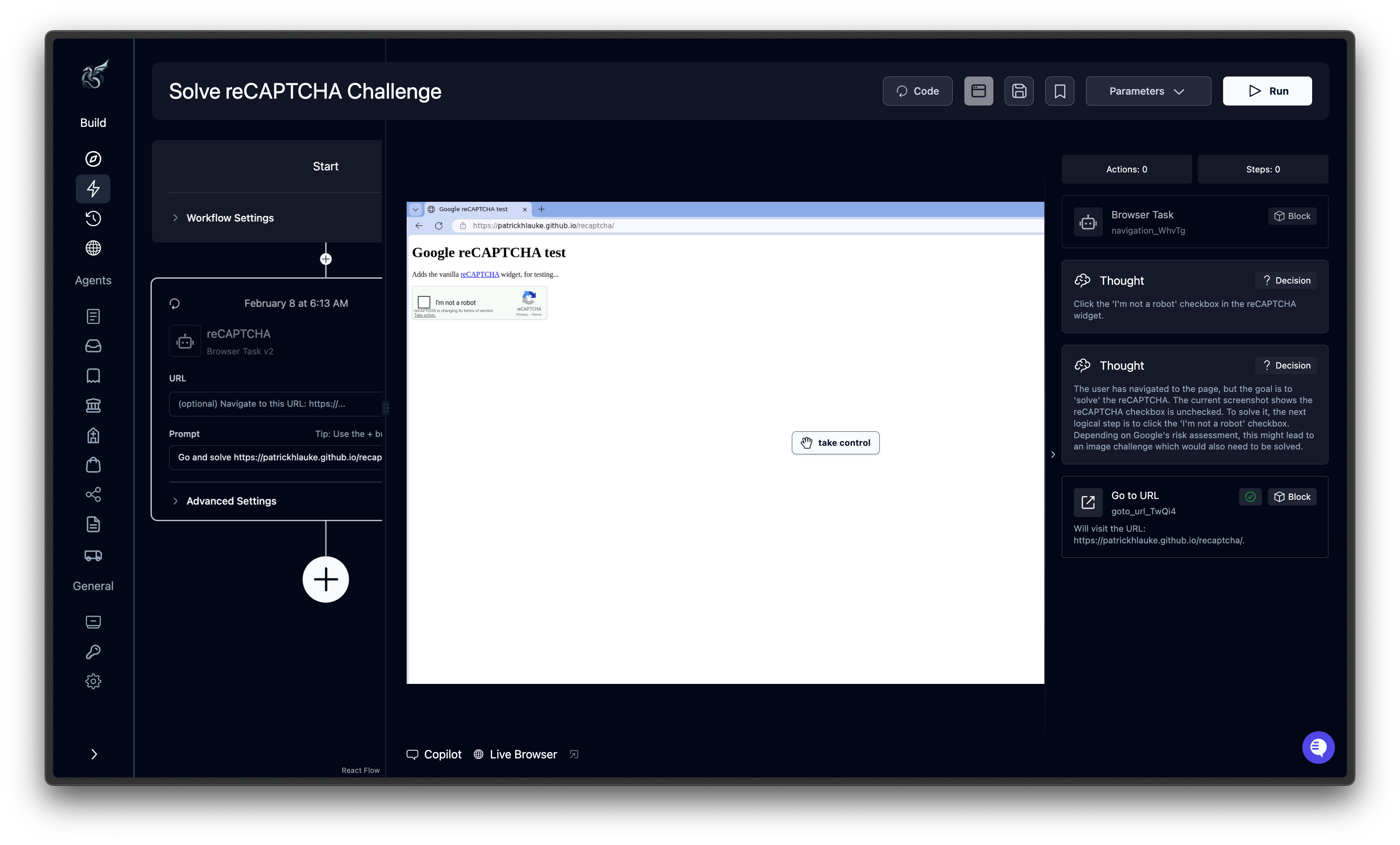
Self-hosted deployments
Automatic CAPTCHA solving is not available for self-hosted deployments. When a CAPTCHA is detected, the agent pauses for 30 seconds to allow manual intervention. Solve it in the browser window yourself, then the agent continues automatically.Related
Proxy & Geolocation
Route traffic through residential proxies in 21 countries.
Handle 2FA
Configure TOTP, email, and SMS verification codes.
Browser Sessions
Persist browser state across multiple runs.
Error Handling
Map CAPTCHA and bot failures to custom error codes.