

Available cookbooks
Bulk Invoice Downloader
Download invoices from vendor portals, parse PDFs to extract amounts, and email a summary with attachments.
Job Applications Pipeline
Search for jobs on any portal, extract listings, generate tailored answers with AI, and submit applications automatically.
Healthcare Portal Data Extraction
Extract patient demographics and billing data from EHR portals like OpenEMR using residential proxies and browser profiles.
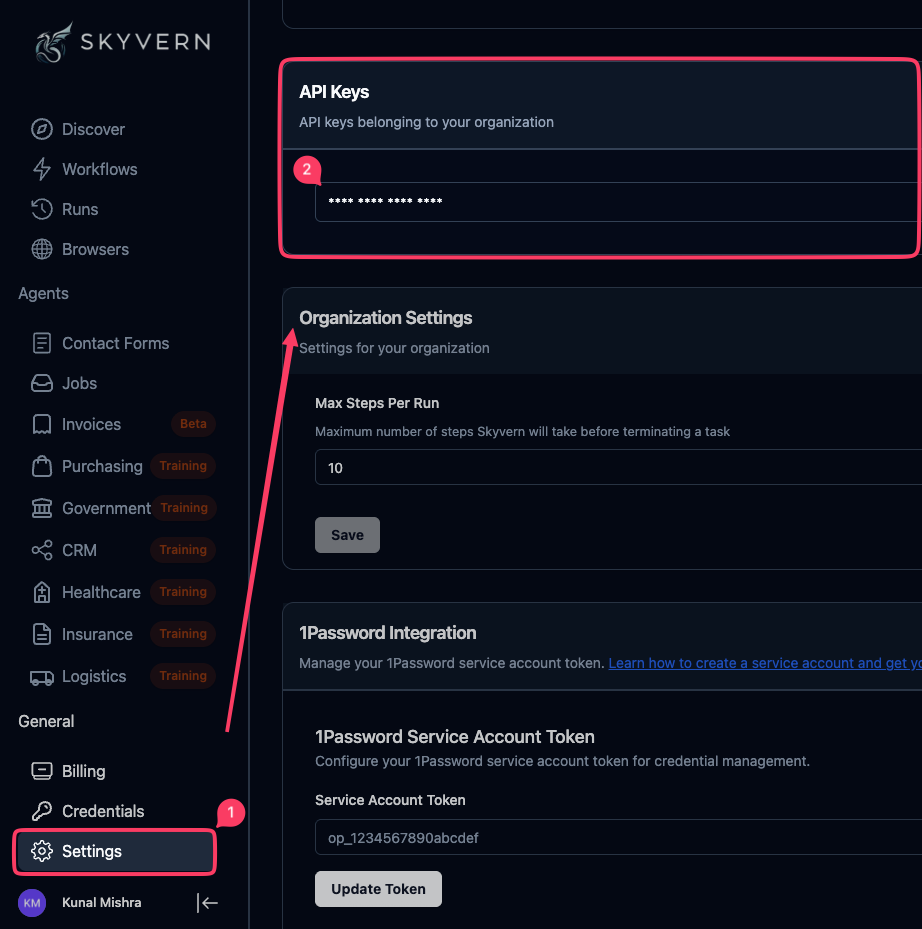
Getting your API key
All cookbooks require a Skyvern API key. Here’s how to get one:Create an account
Sign up at app.skyvern.com or log in to your existing account.
Other Resources
If you’re new to Skyvern workflows, start with these foundational guides:Build a Workflow
Learn workflow basics: parameters, blocks, and data passing
Workflow Blocks Reference
Complete reference for all block types