

Looking to integrate Skyvern into your own app? See the API Quickstart instead.
The dashboard
Sign in and you’ll land on the Discover page, the starting point for running automations.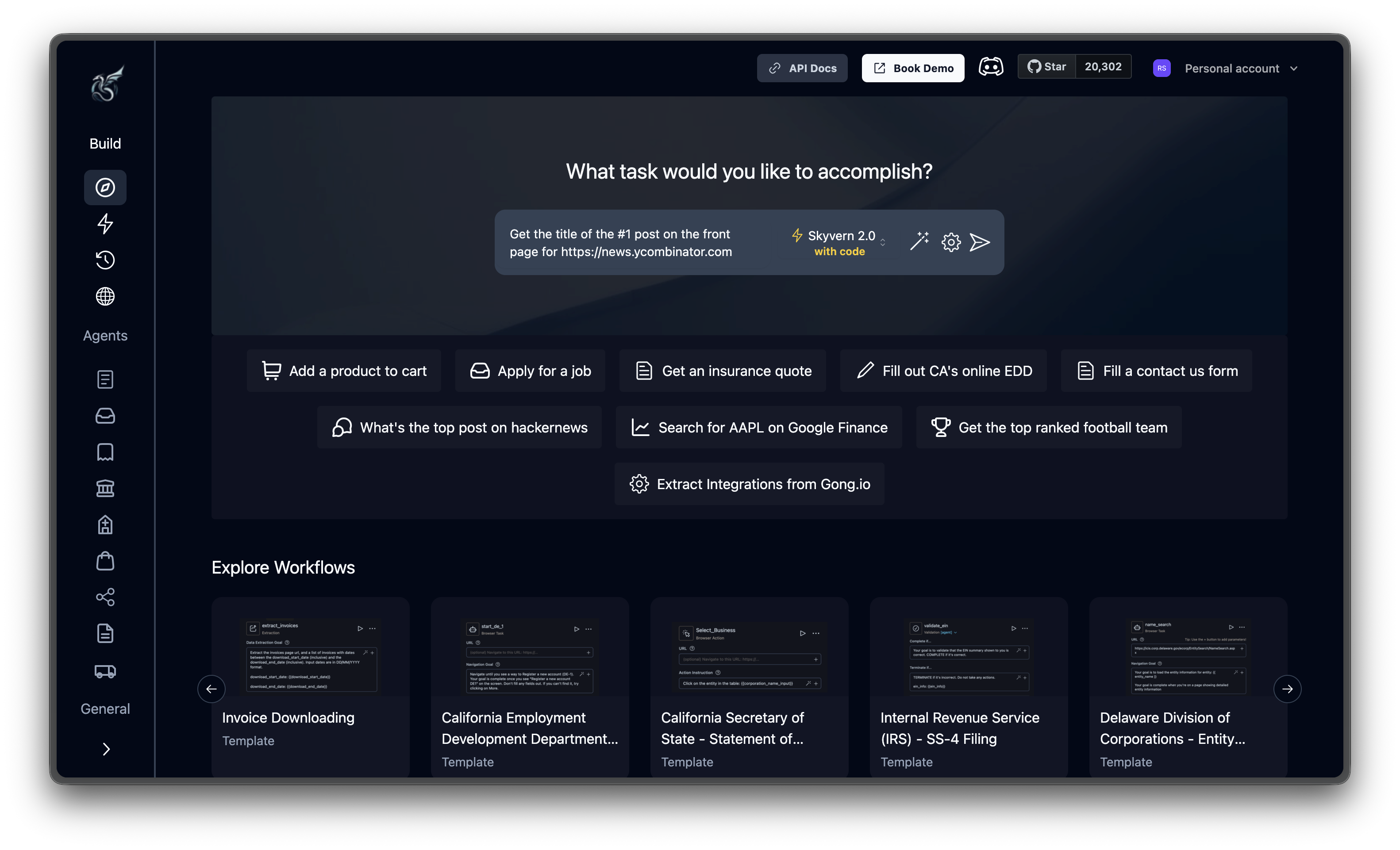
Build
Where you create and monitor automations.| Page | Purpose |
|---|---|
| Discover | Run one-off tasks. Type your instructions and target URL into a single prompt, pick an engine, and hit send. |
| Workflows | Build multi-step automations with the visual workflow editor. Add loops, conditionals, and data passing between steps. |
| Runs | Execution history for every task and workflow. Filter by status, drill into any run to see actions, recordings, and extracted data. |
| Browsers | Active browser sessions. Useful for persistent sessions that keep login state across tasks. |
Agents
Ready-made automation templates. Each agent is preconfigured with a prompt, target URL, and settings. Pick one to see it work or use it as a starting point for your own task.General
| Page | Purpose |
|---|---|
| Billing | Usage, remaining credits, and plan management. |
| Credentials | Store website logins, credit card details, and secret values securely. Skyvern uses these to authenticate automatically, fill payment forms, and inject secrets into workflows. |
| Settings | API key, account preferences, and organization management. |
How it works
Every automation in Skyvern Cloud follows the same pattern:Describe your task
Type what you want into the prompt bar. Include the target URL and your instructions in one go. Something like “Get the top post from https://news.ycombinator.com” or “Fill out the contact form at https://example.com/contact with my details.”
Watch it happen
A cloud browser opens and you see it navigate in real time. Pages load, elements highlight, actions fire. An agent log streams the AI’s reasoning — what it sees on the page, what it plans to do, and why — so you can follow along. If the AI gets stuck, hit Take Control to jump in and help.
Next steps
Run Your First Task
Follow along with a real example to see Skyvern Cloud in action
Core Concepts
Understand tasks, workflows, and other foundational concepts