

Available Operations
- Task → Dispatch a Task — Run a browser automation with a prompt
- Task → Get a Task — Retrieve results from a previously run task
- Workflow → Dispatch a Workflow Run — Run a pre-built Skyvern workflow with parameters
- Workflow → Get a Workflow Run — Retrieve results from a previously run workflow
Setup
Install the Skyvern node
Create a new workflow or edit an existing one, click +, search for “Skyvern”, and click Install → Add to workflow.
Connect your account
Click Select credential → “Create new credential” and paste your API key from Settings.
Test
Run the workflow and monitor progress in your Skyvern dashboard.
Field reference
Dispatch a Task
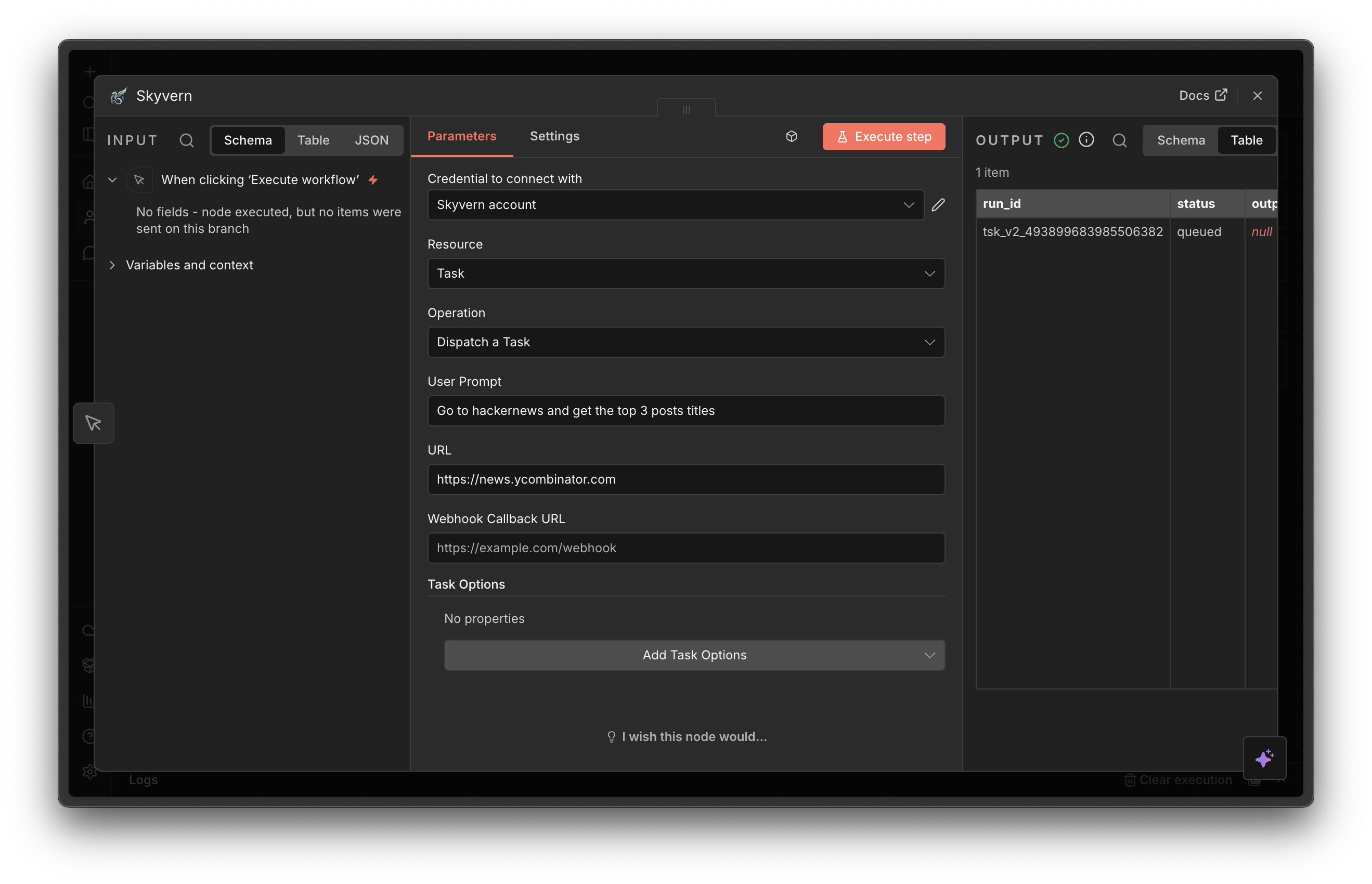
- User Prompt (required) — What Skyvern should do
- URL — The starting page. If omitted, Skyvern navigates based on the prompt.
- Webhook Callback URL — URL to notify when the task finishes
- Engine — Defaults to Skyvern 2.0.
- Skyvern 1.0 — Simple, single-step tasks
- Skyvern 2.0 — Complex, multi-step goals with dynamic planning
- OpenAI CUA / Anthropic CUA — Third-party computer-use agents
Dispatch a Workflow Run
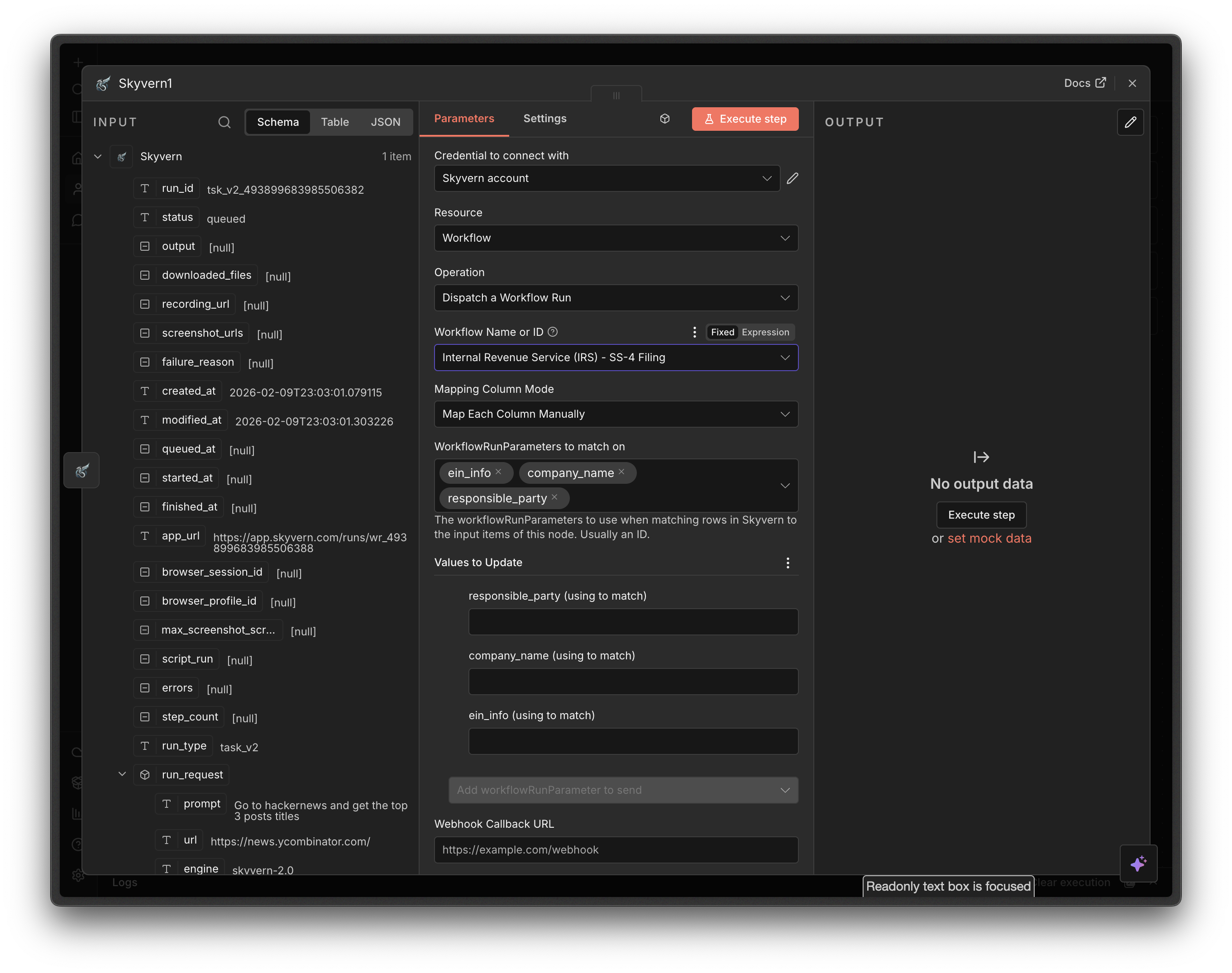
- Workflow Name or ID (required) — Select from the dropdown or specify an ID with an expression
- Workflow Run Parameters — Loaded dynamically from the selected workflow
- Webhook Callback URL — URL to notify when the workflow finishes
Get a Task
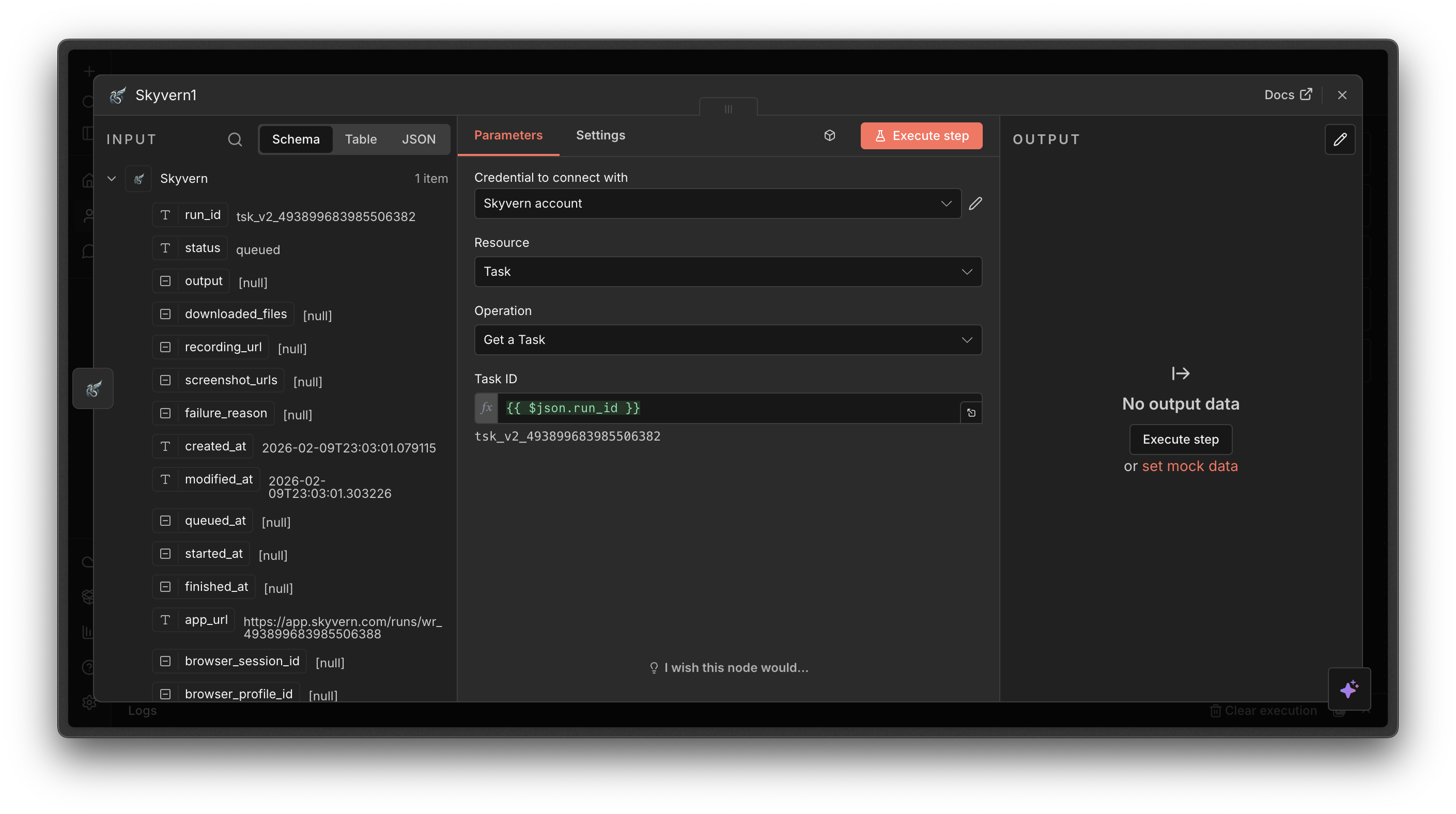
- Task ID (required) — The ID of the task run
Get a Workflow Run
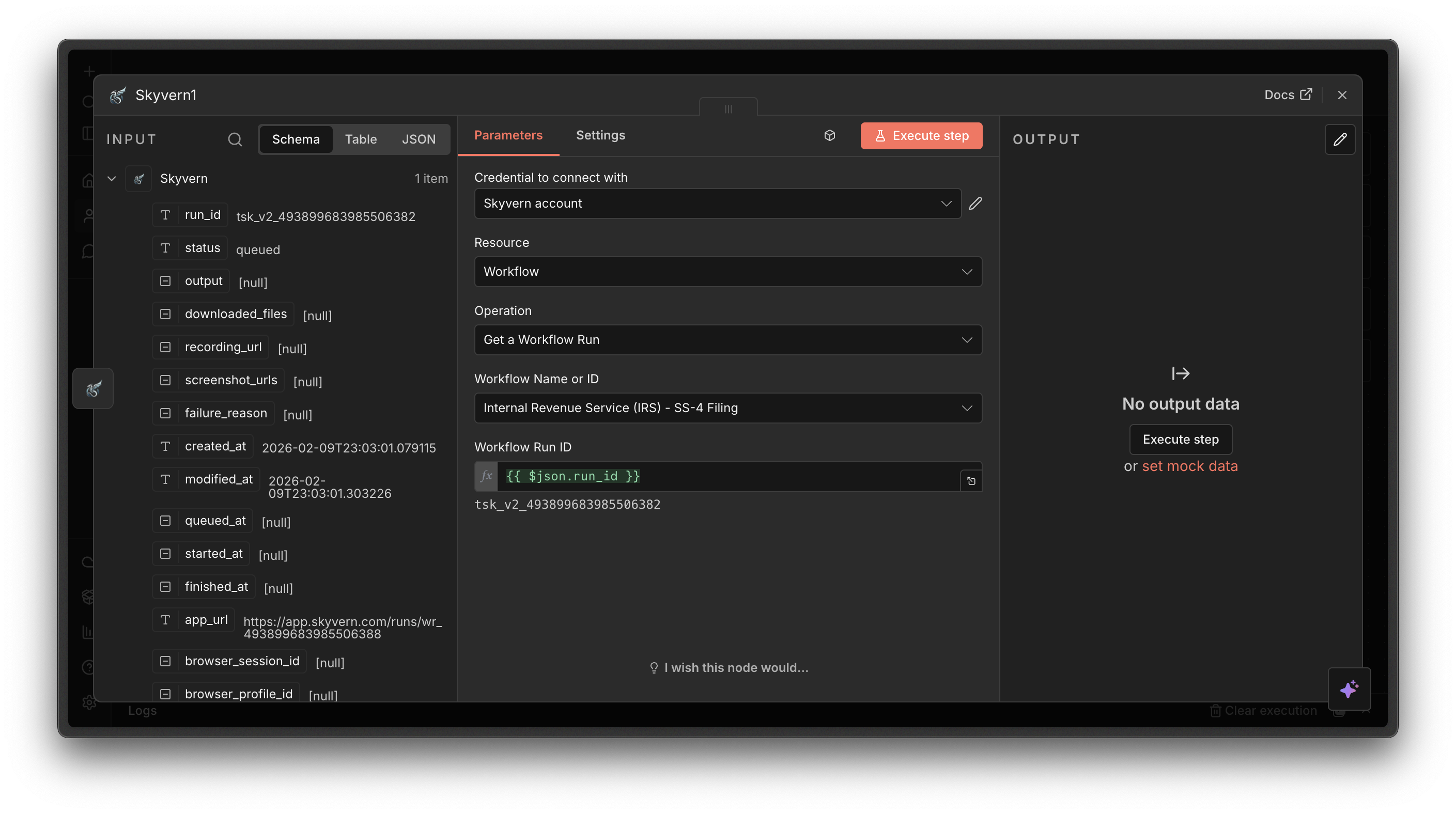
- Workflow Name or ID (required) — Select the workflow from the dropdown
- Workflow Run ID (required) — Starts with
wr_
Next steps
Build Workflows
Create reusable multi-step automations in Skyvern
Use Webhooks
Get notified when tasks complete